DNS Configurations
DNS
This tab shows DNS server or software you’re using to manage DNS records. Stack Console supports multiple providers such as PowerDNS, Cloudflare (via API), etc.
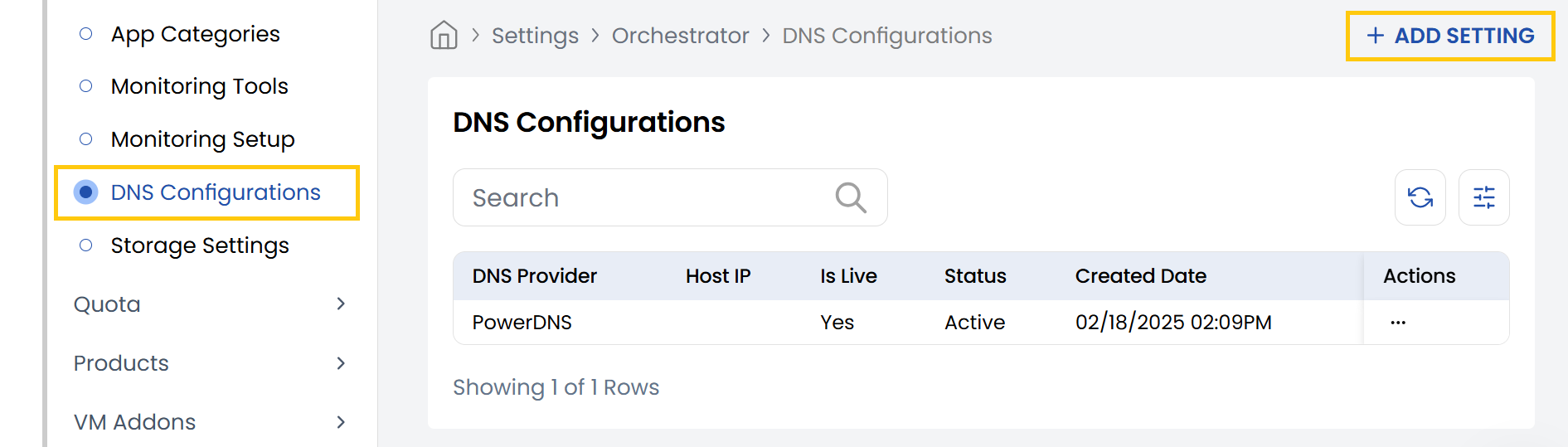
- From the left-hand side of the page under the Orchestrator section, click on DNS Configurations to view the list of DNS configurations.
- To create a DNS configuration, click on Add Settings.
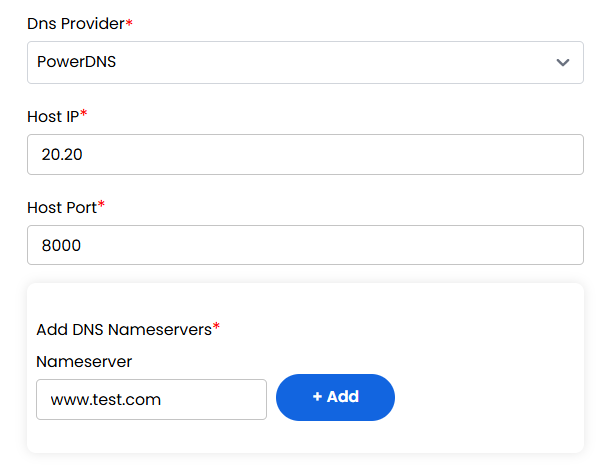
- DNS Provider: Select the DNS server software (e.g., PowerDNS).
- Host IP: Enter the IP address of the DNS server.
- Host Port: Specify the port the DNS API is listening on (e.g., 8081).
- Add DNS Nameservers: Enter each authoritative nameserver (e.g., ns1.example.com). Click to add multiple nameservers.
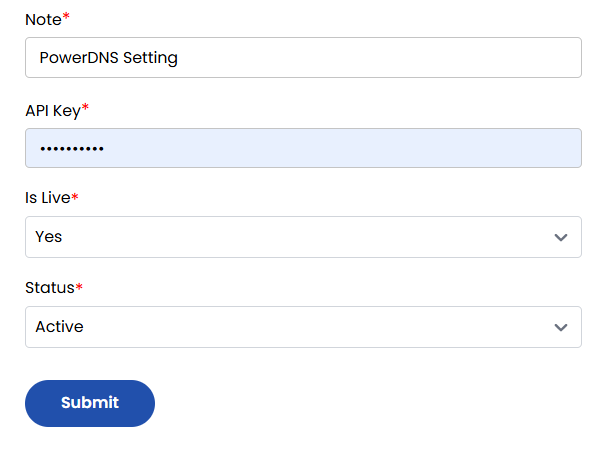
- Note: Add a description or label for this DNS setup.
- API Key: Enter the DNS API key.
- Is Live: Choose Yes/No to enable/disable this DNS config.
- Status: Set to Active/Inactive to use this config in production.
Click to Submit the config and test connectivity with the DNS server.